
What Is Image Optimization in SEO?
Images can improve a page, explain ideas faster, make content easier to scan, and support user engagement. But large, poorly named, or badly implemented images can also slow down a website and make it harder for search engines to understand the page.
That is where image optimization SEO comes in.
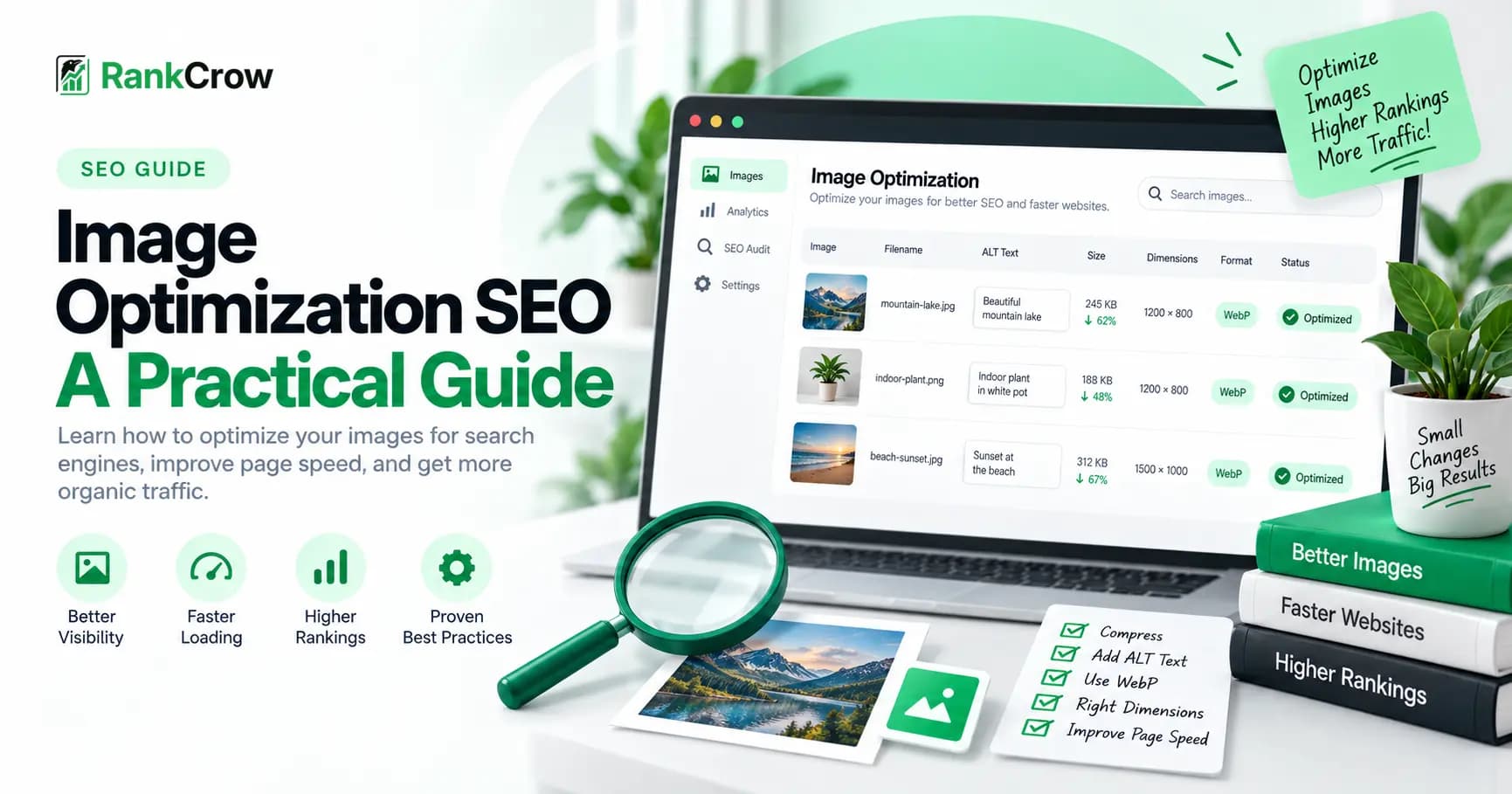
Image optimization in SEO is the process of preparing and implementing website images so they are useful for users, understandable to search engines, and efficient to load.
A properly optimized image is usually relevant to the surrounding content, uses an appropriate format, avoids unnecessary file weight, fits the way it is displayed, provides useful image information where appropriate, and can be accessed by search engines.
Image SEO also includes how images are presented in the HTML of a page, how they respond across different screen sizes, and how search engines can discover and interpret them.
The goal is not to manipulate image rankings. The goal is to make images technically sound, useful, accessible, and easy to understand.
Why Image SEO Matters
Images affect both search visibility and user experience.
A page can have strong written content but still provide a poor experience if its images are unnecessarily heavy, difficult to load, or unrelated to the topic.
Good image search engine optimization can support several parts of a page.
Better Page Experience
Efficiently delivered images can reduce unnecessary page weight and improve loading behavior, especially on mobile devices and slower connections.
Better Content Understanding
Relevant images, descriptive filenames, useful alt text, and surrounding content can provide additional context about the topic of a page.
Google Images Visibility
Images can appear in Google Images and other visual search experiences when Google can discover, access, and understand them.
Accessibility
Alt text can help people using screen readers understand meaningful images. Image optimization should therefore be treated as both an SEO and accessibility task.
How to Optimize Images for SEO
A practical image optimization workflow does not need to be complicated.
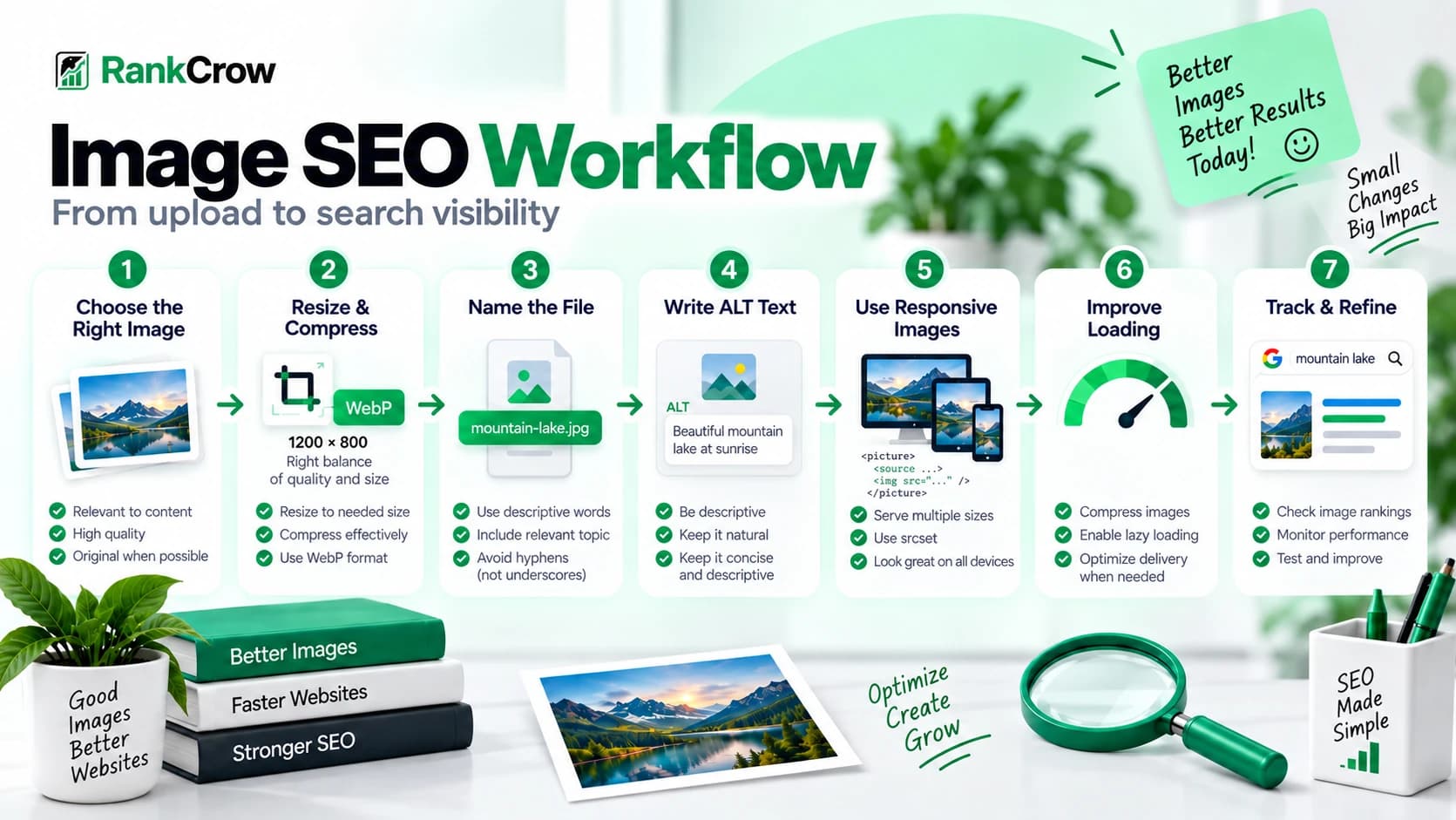
1. Choose a relevant image
Use an image that genuinely supports the topic and helps the reader understand the page.
2. Resize it for the intended use
Avoid serving source dimensions that are much larger than the image needs to appear on the page.
3. Choose an appropriate format
Select JPEG, PNG, WebP, AVIF, SVG, or another supported format based on image type, quality, transparency, and delivery needs.
4. Reduce unnecessary file weight
Compress or encode the image efficiently while keeping enough quality for the intended use.
5. Use a descriptive filename
Name the file according to what the image actually represents instead of using meaningless camera or export filenames.
6. Write useful alt text where needed
Describe meaningful images for accessibility and context without stuffing keywords into the alt attribute.
7. Review delivery and crawlability
Check responsive image behavior, loading strategy, important image URLs, and the final page experience.
Each step solves a different problem. Filename optimization helps with clarity, while compression primarily helps performance. Alt text supports accessibility and context, while responsive images help browsers avoid downloading unnecessarily large files.
Choosing the Right Image Format for SEO
There is no single image format that is automatically best for SEO.
The right choice depends on the type of image, required quality, transparency, compatibility, and file size.
JPEG
JPEG is commonly used for photographs and images containing many colors. It can provide good visual quality at relatively small file sizes.
PNG
PNG is useful when you need transparency, sharp interface graphics, screenshots, or lossless quality. PNG files can sometimes be much larger than alternatives, so use them intentionally.
WebP
WebP is a modern image format that can provide efficient compression for photographs, illustrations, thumbnails, and general website graphics.
AVIF
AVIF can provide strong compression efficiency, especially for photographic content. Format choice should still be based on quality and compatibility rather than using AVIF simply because it is newer.
SVG
SVG is well suited to scalable vector graphics such as logos, icons, diagrams, and simple illustrations.
The key principle is simple: choose the format that provides the quality you need without sending unnecessary bytes to the browser.
web.dev provides additional guidance on image formats, responsive images, compression, and efficient delivery in its Learn Images documentation.
Image Dimensions, File Size, and SEO
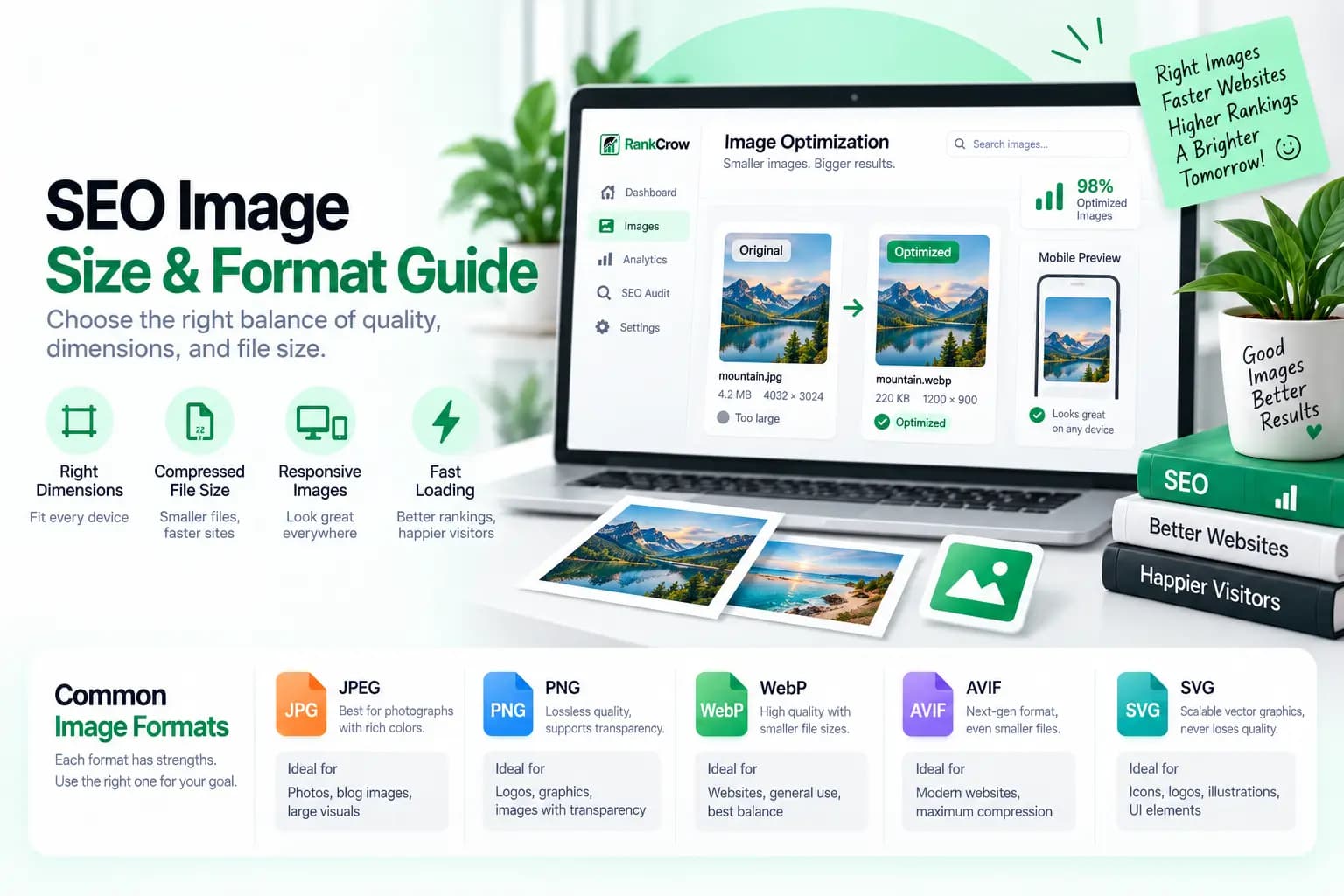
When people talk about SEO image size, they may be referring to several different things.
Source Dimensions
Source dimensions describe the actual pixel dimensions of the image file, such as 2400 × 1600 pixels.
Rendered Dimensions
Rendered dimensions describe how large the image actually appears on the page. A 2400-pixel-wide source image may only render at 800 pixels wide inside an article.
File Weight
File weight is measured in KB or MB and describes how much data the browser needs to download.
Source dimensions, rendered dimensions, and file weight are different concepts.
Displaying a 4000-pixel-wide photograph inside a 700-pixel content column may create unnecessary download weight.
There is also no universal ideal KB target for every SEO image. The right balance depends on image type, quality, display size, and use case.
Width and Height Attributes
Images should usually provide known intrinsic dimensions in the page markup where appropriate.
Width and height information can help the browser reserve layout space before the image finishes loading, reducing unexpected page movement.
This does not mean an image must appear at exactly those dimensions on every device. CSS can still make the image responsive.
How to Name Images for SEO
Descriptive filenames make website assets easier to understand and manage.
They can also provide search engines with useful descriptive context, but filenames are only one part of image SEO.
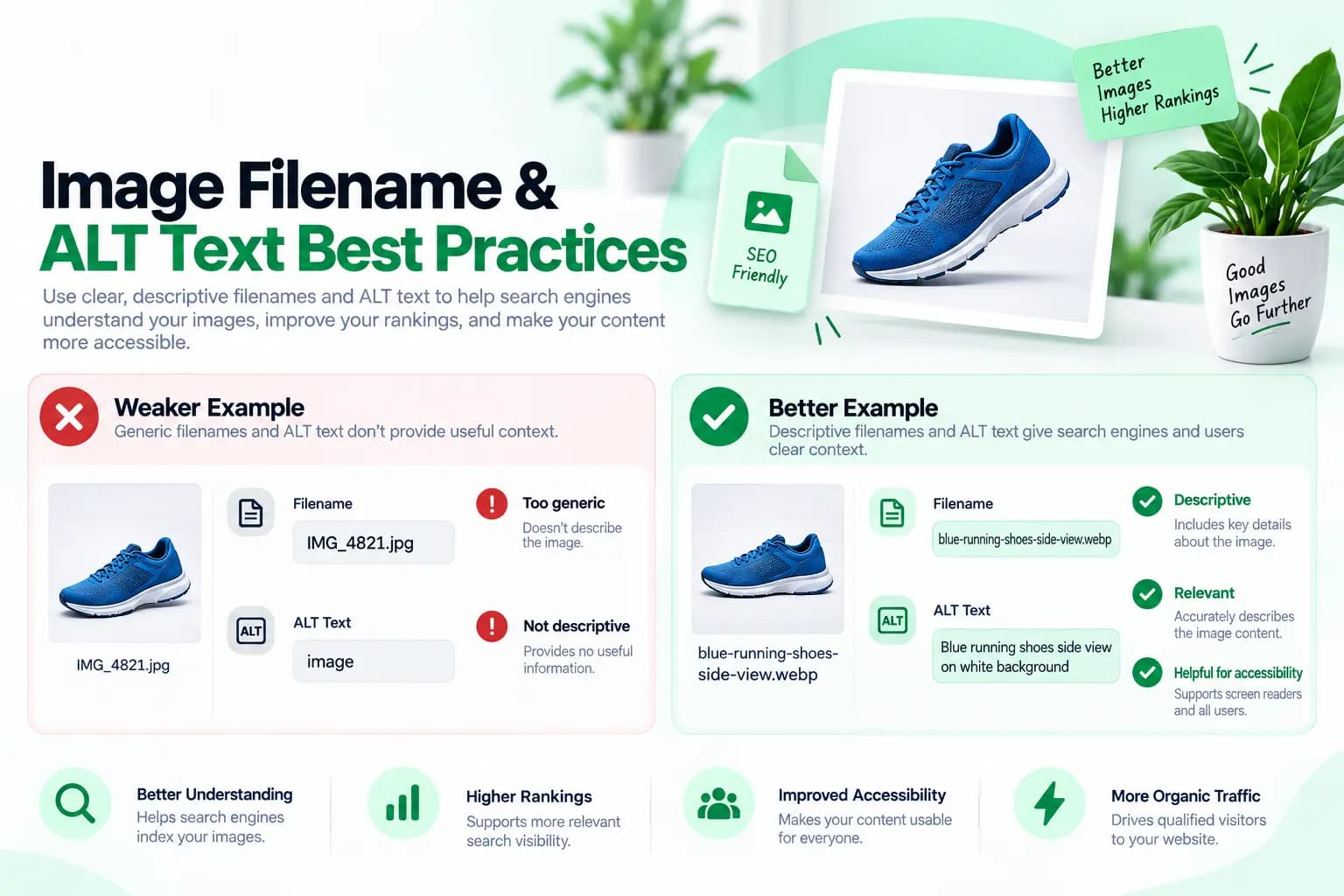
Compare these examples.
Poor filename:
IMG_43892-final2.webp
Better filename:
seo-audit-dashboard.webp
The second filename immediately explains what the image contains.
Image Filename SEO Best Practices
When naming images for SEO, describe the image accurately, use a short meaningful filename, use words that relate naturally to the image, separate words with hyphens, and avoid random numbers when they add no meaning.
Avoid stuffing keywords into filenames.
For example:
image-seo-workflow.webp
is better than:
best-image-seo-image-optimization-seo-google-seo-image.webp
A filename should describe the asset, not become a container for every keyword you want to rank for.
Image Alt Text and SEO
Alt text describes the purpose or content of an image when that description is needed.
It is especially important for accessibility.
A good alt attribute should describe what matters about the image in the context of the page.
Poor:
alt="SEO"
Better:
alt="Image SEO optimization workflow from file preparation to page audit"
Should Alt Text Contain Keywords?
A keyword can appear in alt text when it genuinely describes the image.
It should not be inserted simply to increase keyword usage.
Natural:
alt="Image optimization SEO checklist showing filenames, alt text, and file size"
Unnatural:
alt="image optimization seo seo images seo image google images seo"
The second example is keyword stuffing and provides a poor accessibility experience.
Decorative Images
Not every image needs descriptive alt text.
Purely decorative images may use an empty alt attribute when appropriate so assistive technologies can ignore them.
Do not use empty alt simply because an image seems unimportant to SEO. Decide based on whether the image conveys meaningful information to the user.
Image Context, Captions, and Surrounding Text
Search engines do not evaluate SEO images in complete isolation. The surrounding page also provides context.
An image placed inside a section about image filenames should visually support that topic.
Helpful context can include the section heading, nearby paragraph text, captions, image filename, alt text, and the overall subject of the page.
This is why image keywords SEO should not mean repeating keywords everywhere. It means maintaining clear topical consistency between the image and the content around it.
Captions are optional. When a caption genuinely helps the reader understand an image, it can add useful context. Avoid creating captions only to insert keywords.
Image optimization also works inside the broader On-Page SEO Guide framework, while the SEO Content Guide explains how relevance and search intent shape the surrounding content.
When images appear within a larger content cluster, the Internal Linking Strategy Guide explains how related pages can be connected naturally without forcing links around keywords.
Google Images SEO
Google Images can provide another way for people to discover useful visual content.
For Google Images SEO, focus first on accessibility, relevance, crawlability, and clear page context.
Useful practices include using relevant high-quality images, keeping important image URLs accessible, making sure the containing page can be crawled, using supported formats, writing useful alt text, using descriptive filenames, and placing images near relevant text.
High quality does not mean uploading the largest file possible. Use enough resolution for the intended display and search presentation without sending unnecessary bytes.
Google's structured-data guidance also states that representative image URLs used in supported structured data should be crawlable and indexable, represent the marked-up content, and use a supported Google Images format. See Google's Article structured data documentation.
Image optimization does not guarantee that an image will rank in Google Images. It improves the technical and contextual information available to search engines.
Responsive Images and Performance
A responsive website may display the same image differently on desktop, tablet, and mobile.
It can be inefficient to force every visitor to download the same large image when a smaller source would be enough for the available display size.
Responsive image techniques allow browsers to choose suitable image resources.
Common HTML features include srcset, sizes, and <picture>.
These techniques can reduce unnecessary image delivery and improve performance when implemented correctly.
Keep important images available through normal, understandable image markup rather than using unnecessarily complicated implementation patterns that make discovery difficult.
web.dev covers responsive image techniques in more detail in its image optimization guidance.
Lazy Loading Images
Lazy loading delays certain images until they are likely to be needed.
Browser-native lazy loading can be useful for images farther down a page.
However, lazy loading is not an SEO requirement and should not be applied blindly.
If an image is immediately visible when the page loads, particularly an important hero or potential Largest Contentful Paint image, delaying it may hurt rather than help performance.
A practical rule is to consider lazy loading for suitable below-the-fold images while prioritizing important above-the-fold imagery.
If custom JavaScript lazy loading is used, make sure it does not unnecessarily interfere with image discovery or user experience.
web.dev discusses resource deferral and loading strategies in its Learn Performance documentation.
Preferred Images, Open Graph, and Structured Data
Some pages provide representative image information through metadata in addition to the visible page content.
Open Graph Image
The og:image property is commonly used to identify a representative image when a page is shared on supported platforms.
Google has also clarified that it may use image information from sources such as schema.org markup and og:image when determining preferred thumbnails in eligible Search and Discover experiences.
This does not guarantee that Google will display a particular image.
See Google's Search documentation updates for current guidance.
Article Structured Data
For pages using supported structured data such as Article markup, provide representative image URLs that match the content and follow Google's image requirements.
Structured data can help Google understand eligible content and may support richer search presentation, but it does not guarantee that a specific search feature or image will appear.
Do You Need an Image Sitemap?
An image sitemap can provide Google with additional information about image content, particularly where images may otherwise be harder to discover.
A separate image sitemap is not required for every website.
It may be more useful for image-heavy websites, large ecommerce catalogs, photography sites, media libraries, or implementations where important images are difficult to discover through normal crawling.
For many websites, clear crawlable HTML, sensible page architecture, and accessible image URLs remain the foundation.
Common Image SEO Mistakes
Uploading Unnecessarily Large Images
A high-resolution source file may contain far more data than the page needs.
Using Meaningless Filenames
Files such as DSC0098112.jpg provide little descriptive context.
Keyword Stuffing Alt Text
Alt text should describe the image, not repeat SEO keywords.
Using an Inefficient Format
A large PNG photograph may be inefficient when another supported format could provide similar visual quality at lower file weight.
Lazy-Loading Every Image
Critical images near the top of the page may need to load immediately.
Missing Width and Height Information
Missing intrinsic dimensions can contribute to unnecessary layout movement.
Blocking Image Crawling
Important images should not unintentionally be inaccessible where search visibility matters.
Using Irrelevant Images
Images should support the topic of the section in which they appear.
How to Audit Images for SEO
An image SEO audit should review both technical implementation and content quality.
A useful review can include:
- Whether each important image is relevant to the surrounding content.
- Meaningless, overly long, or keyword-stuffed image filenames.
- Meaningful images with missing or weak alt text.
- Decorative images that do not need descriptive alt text.
- Source dimensions that are much larger than the rendered size.
- Unnecessarily heavy image files.
- Image formats that are inefficient for the type of asset.
- Responsive image delivery where smaller sources could be useful.
- Lazy-loading behavior for below-the-fold and critical images.
- Important image URLs that may be difficult to crawl.
- Representative images used in social metadata or supported structured data.
A broader SEO audit should review image issues alongside technical, content, indexability, and internal-linking signals rather than treating images as an isolated SEO system.
See the SEO Audit Guide and Internal Linking Strategy Guide for the full process.
How RankCrow Helps With Image SEO
RankCrow can help identify supported page-level image and SEO issues during an on-page analysis.
Depending on the page being analyzed, the RankCrow Free SEO Analyzer can review elements such as images detected on the page, ALT attribute presence, headings, links, canonical information, indexability signals, other supported page-level checks, and the overall SEO Score.
This gives you a practical starting point for spotting basic image-related issues alongside other on-page SEO problems.
RankCrow does not replace manual judgment.
For example, a tool may detect whether an ALT attribute exists, but a human still needs to decide whether the text accurately describes the image.
The Technical SEO Guide covers related crawlability, indexability, performance, and technical implementation topics.
For broader practical improvements, see RankCrow's SEO Optimization Tips article.
You can also explore the complete RankCrow SEO Guides library for related topics.
Review Your Page With RankCrow
Check supported image, ALT, canonical, indexability, heading, link, and other page-level SEO signals in one place.
Image SEO Checklist
Use this checklist before publishing or updating an important page.

Image SEO Checklist
Frequently Asked Questions
What is image optimization in SEO?
Image optimization in SEO is the process of improving images so they are useful to visitors, understandable to search engines, and efficient to load. It can include filenames, alt text, dimensions, file weight, format selection, responsive delivery, and crawlability.
How do I optimize images for SEO?
Use relevant images, descriptive filenames, useful alt text, appropriate formats, reasonable file sizes, responsive image techniques, and suitable loading behavior. Also make sure important image URLs are accessible to search engines.
What is the best image format for SEO?
There is no single best format for SEO. JPEG, PNG, WebP, AVIF, and SVG each have suitable use cases. Choose based on image type, quality, transparency, compatibility, and file size.
Does image filename affect SEO?
A descriptive filename can provide useful context and makes website assets easier to manage. Use short, accurate filenames and avoid keyword stuffing.
Does alt text help SEO?
Alt text primarily helps describe meaningful images, particularly for accessibility. It can also provide useful contextual information to search engines. Keywords should only be included when they naturally describe the image.
What image size is best for SEO?
There is no universal pixel dimension or file-size target. Images should be large enough for their intended display while avoiding unnecessarily large source dimensions and excessive file weight.
Should I use WebP for SEO?
WebP is often a strong choice because it can deliver good visual quality with efficient compression. However, using WebP by itself does not improve rankings. Format selection should support performance and image quality.
Should I lazy-load every image?
No. Lazy loading is generally more useful for images lower on the page. Important images visible immediately when the page loads may need to be prioritized instead.
Do I need an image sitemap?
Not every website needs a separate image sitemap. It may be useful for large or image-heavy websites, especially where important images are difficult for search engines to discover through normal crawling.
Final Thoughts
Effective image optimization SEO is not about forcing keywords into filenames and alt text.
It is about making images work properly for people, browsers, and search engines.
Focus on relevance first. Then improve filenames, accessibility, source dimensions, file weight, responsive delivery, crawlability, and loading behavior.
Small improvements across many images can make a website easier to use and easier to maintain.
When image optimization becomes part of your normal publishing workflow, it becomes easier to avoid technical problems before they reach the live website.
You can explore the RankCrow SEO Guides library or run your page through the RankCrow Free SEO Analyzer to review supported image, ALT, and related page-level SEO signals.
Ready to Review Your Page?
Use RankCrow to review supported image and page-level SEO signals before making your next round of improvements.
Key Takeaways
- Image optimization SEO combines relevance, accessibility, crawlability, file efficiency, and page performance.
- There is no single image format that is automatically best for SEO.
- Image dimensions, rendered dimensions, and file weight are different concepts.
- Descriptive filenames can provide useful context, but they are only one part of image SEO.
- Alt text should describe meaningful images naturally rather than act as a keyword container.
- Responsive images and thoughtful loading behavior can reduce unnecessary image delivery.
- RankCrow can review supported page-level image and ALT signals, but it is not an automatic image compressor, CDN, or Google Images ranking predictor.