
What Is Search Engine Indexing?
Publishing a page does not automatically mean it will appear in Google Search.
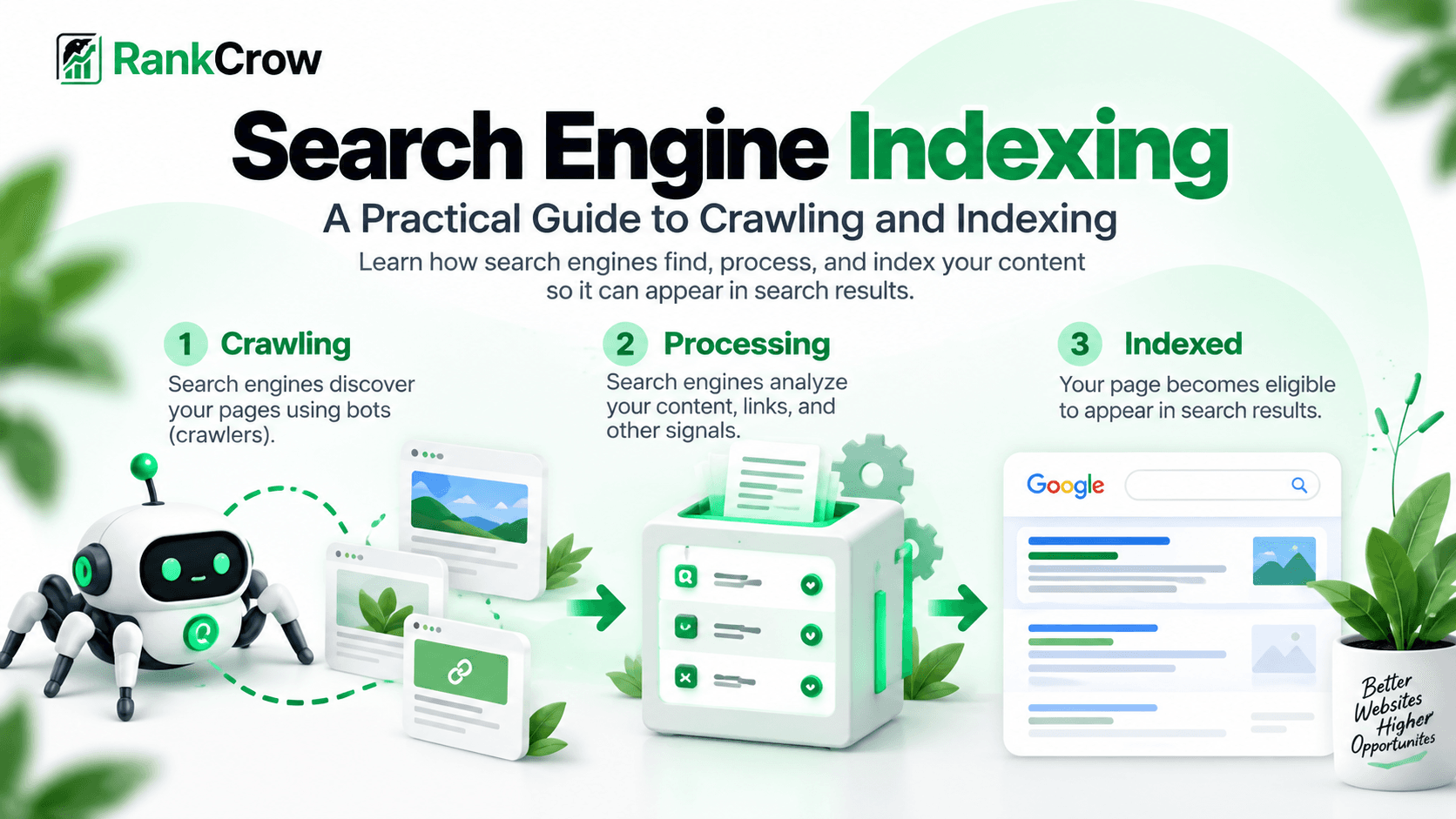
Before a page can become eligible to appear in search results, a search engine usually needs to discover the URL, crawl it, process what it finds, and decide whether the page should be included in its index.
This process is where search engine indexing becomes important.
Search engine indexing is the process of processing a crawled page and potentially adding information about that page to a search engine's index.
For Google, indexing happens after discovery and crawling.
Google's Page Indexing documentation explains that Google processes crawled pages and may add them to its index, where they can become eligible to appear in Search. See Google's Page Indexing report documentation.
A page can be discovered but not crawled, crawled but not indexed, indexed but not ranking for the queries you expect, or indexed under a different canonical URL.
Indexing is not the same as ranking.
Being indexed means a search engine has included the page in its searchable index. It does not mean the page will rank highly, receive traffic, or appear for every relevant search.
What Is Crawling?
Crawling is the process search engines use to request and explore URLs.
Search-engine crawlers follow links, process sitemap information, revisit previously known URLs, and discover new pages through different sources.
In simple terms:
Discovery tells a search engine that a URL exists.
Crawling lets it fetch the URL.
Indexing determines whether information about that page becomes part of the searchable index.
This is why crawling SEO and indexing are related but not interchangeable.
A search engine cannot normally process the full content of a page it has never crawled. At the same time, successful crawling does not guarantee indexing.
Crawling vs Indexing
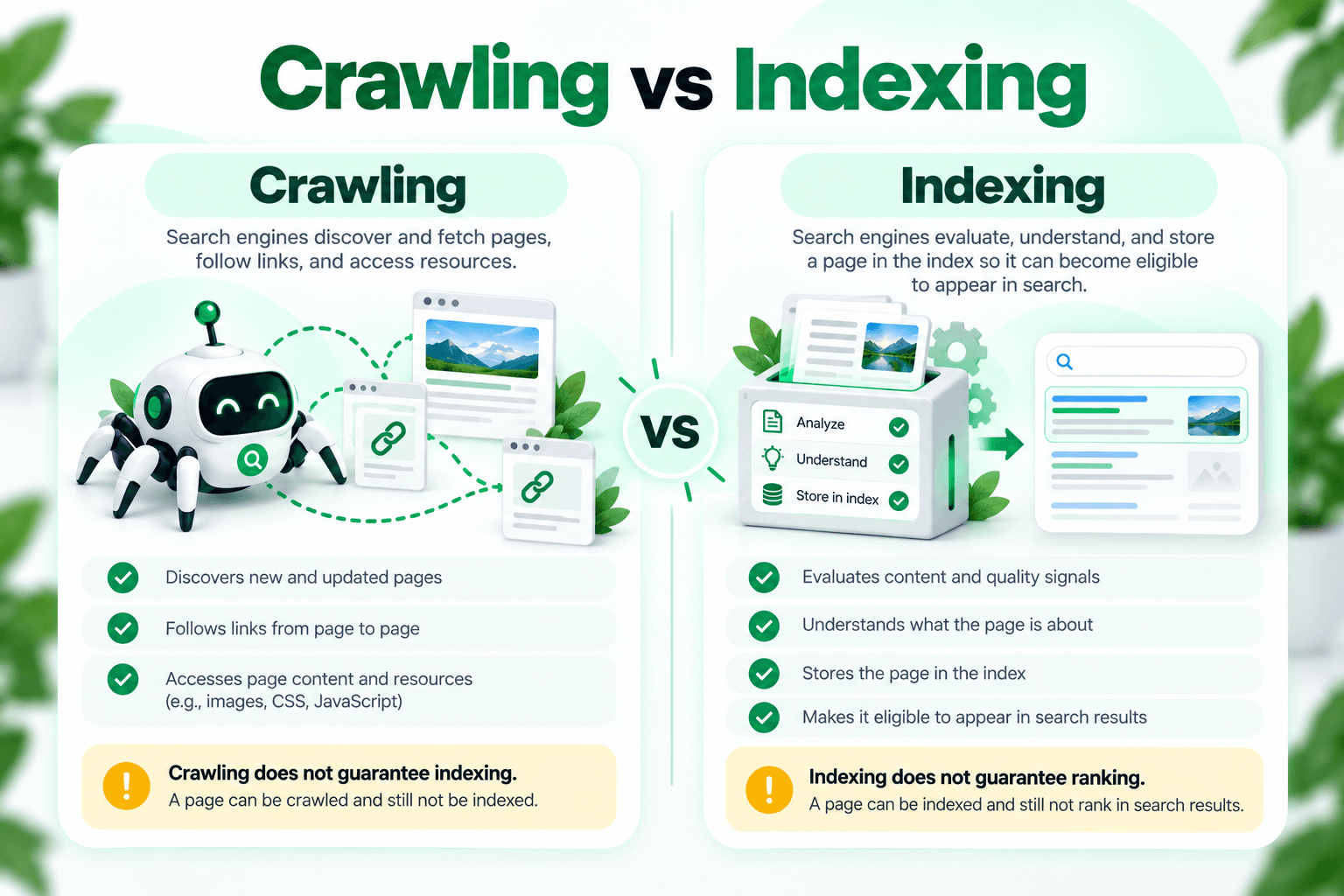
One of the most important concepts in crawling and indexing in SEO is understanding that these are separate stages.
Crawling
Crawling is about accessing and retrieving a page.
- Can the crawler reach the URL?
- Does the server respond correctly?
- Is crawling allowed?
- Can the important content be fetched and processed?
Indexing
Indexing is about processing the page and deciding how it should be represented in the search engine's index.
- Is the page eligible for indexing?
- Is there a noindex directive?
- Is the page treated as duplicate or canonicalized elsewhere?
- Which URL should represent the content?
A page can be crawled successfully and still remain outside the index.
How Search Engines Discover Pages
Before a search engine can crawl a URL, it first needs to know that the URL exists.
Internal links
Search engines can discover new pages by following links from pages they already know about.
XML sitemaps
A sitemap can help search engines discover preferred URLs that you want them to know about.
Previously known URLs
Search engines may revisit URLs they have already discovered in the past.
External links
Links from other websites can also lead crawlers to pages on your site.
Internal linking is especially important because it can help keep valuable pages connected to the rest of the site.
RankCrow's Internal Linking Strategy Guide explains how to build those relationships naturally.
XML sitemaps can also support discovery, but including a URL in a sitemap does not guarantee indexing.
How a Page Gets Indexed
A simplified model looks like this:
Discover → Crawl → Process/Render → Evaluate → Index → Eligible to Appear in Search
This is a simplified teaching model. Google's actual crawling, rendering, canonicalization, and indexing systems do not always behave as one rigid linear pipeline.
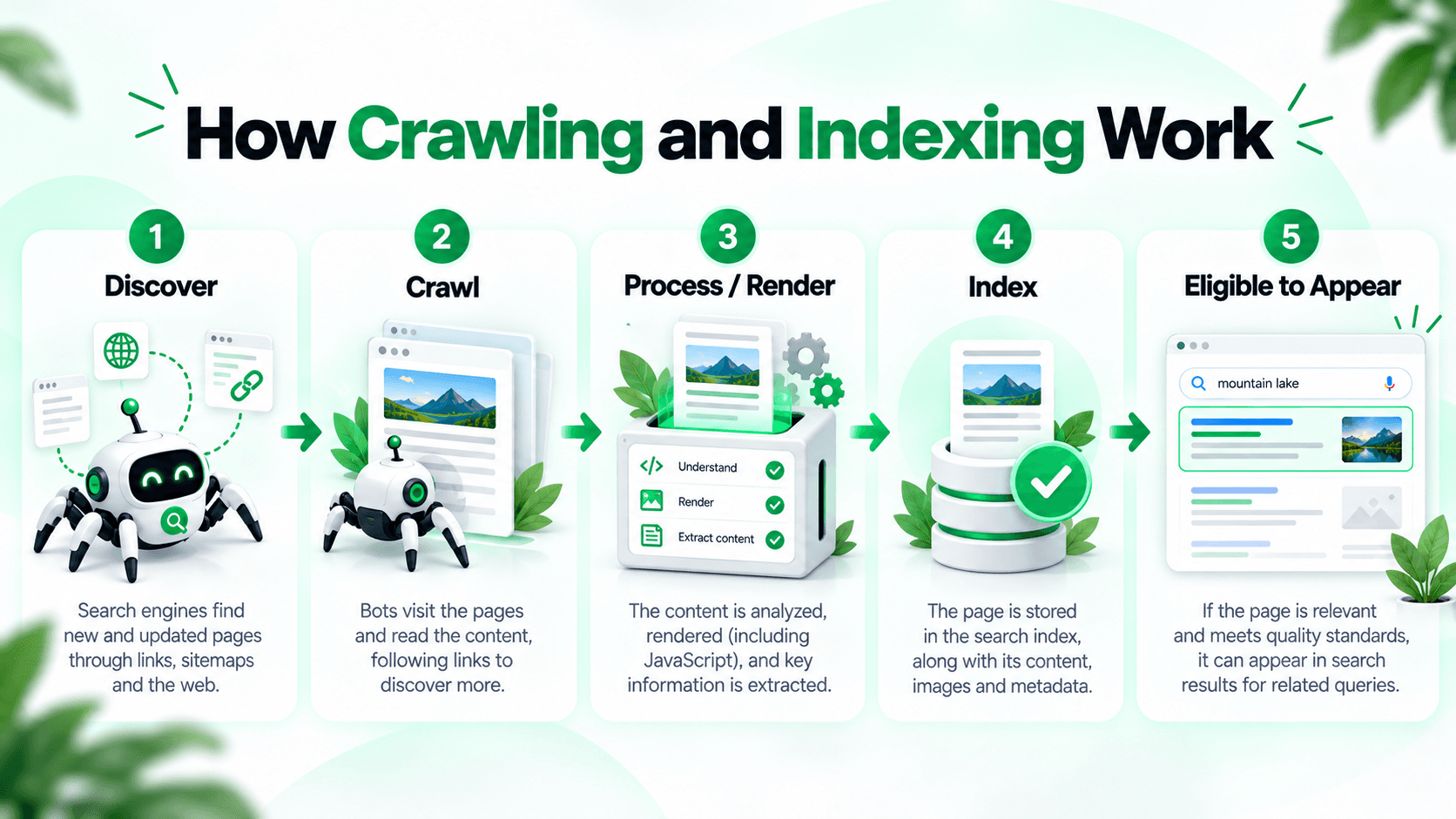
1. Discovery
The search engine becomes aware that the URL exists.
2. Crawl
A crawler requests the URL and retrieves the available page content.
3. Process and render
The search engine processes the response and may render resources to better understand the page.
4. Evaluate
The search engine reviews content, directives, canonical signals, duplication, accessibility, and other signals.
5. Index
The page may be added to the search engine's searchable index.
6. Search eligibility
An indexed page can become eligible to appear for relevant searches, but indexing does not guarantee rankings.
What Is Webpage Indexing?
Webpage indexing refers specifically to the process of adding information about an individual webpage to a search engine's searchable index.
This sounds straightforward, but the process can involve several decisions.
For example, imagine three URLs contain almost identical content:
- /product
- /product?source=email
- /product?source=social
A search engine may recognize that these URLs represent substantially the same page and choose one canonical version.
Google explains that duplicate or very similar pages can be grouped and a representative canonical URL selected. See Google's canonicalization documentation.
As a result, not every crawlable URL needs to become a separate indexed page.
Why a Page May Not Be Indexed
A page can remain outside the index for many different reasons.
There is no single universal explanation.
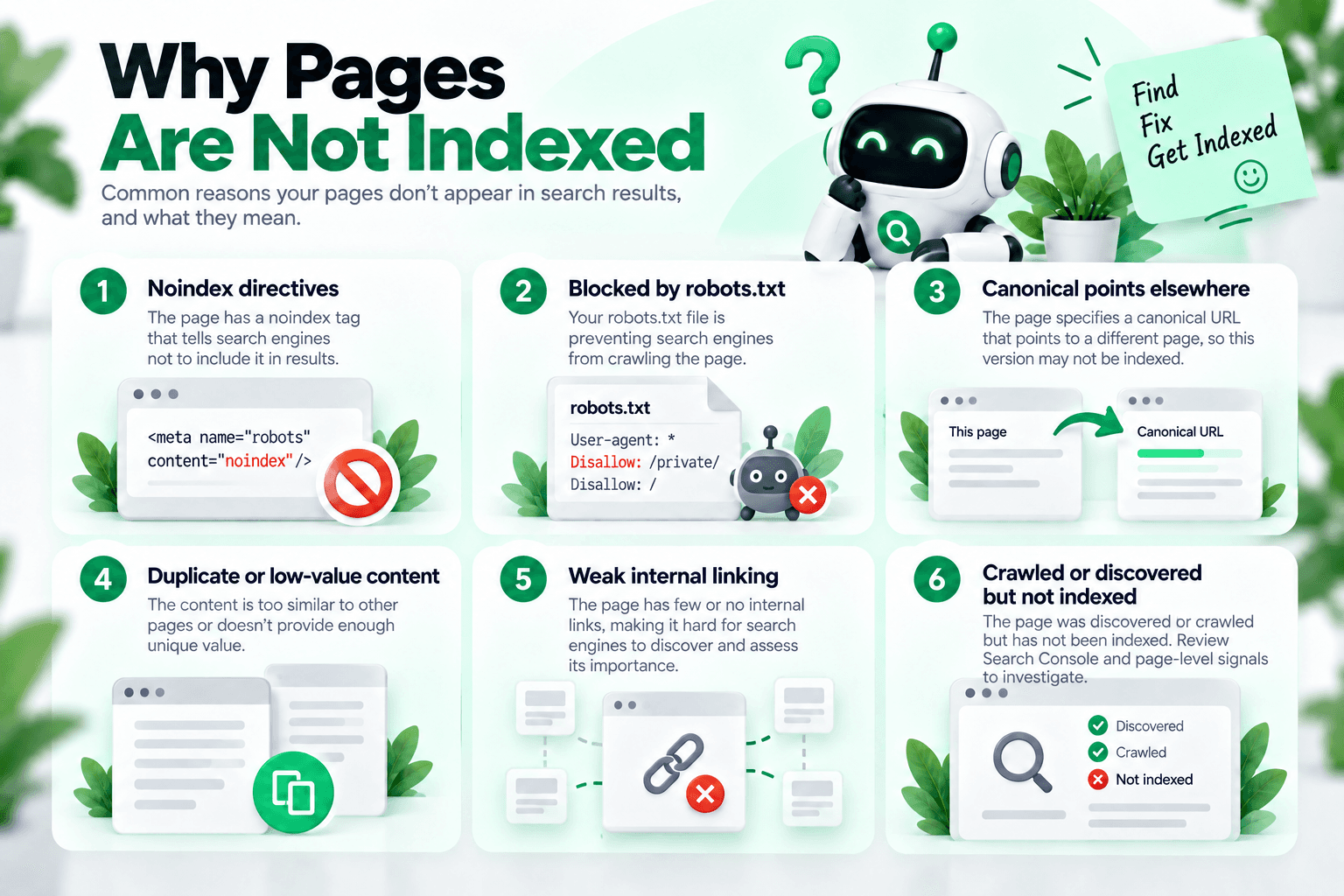
- The URL has not been crawled yet.
- A noindex directive prevents indexing.
- Crawling is blocked.
- The page redirects elsewhere.
- Another URL is selected as canonical.
- The content is duplicate or very similar to another page.
- The page returns an error.
- The page is very new.
- Internal discovery is weak.
- Google has crawled the URL but has not chosen to index it.
Google's Page Indexing report distinguishes between indexed and non-indexed URLs. A non-indexed URL is not automatically an error.
Before trying to fix a page, first ask whether that URL is actually intended to be indexed.
Crawled - Currently Not Indexed
One of the most commonly misunderstood Search Console statuses is Crawled - currently not indexed.
This means Google crawled the page but did not index it at the time represented by the report.
Google notes that the page may or may not be indexed later and that there is no need to repeatedly resubmit the URL simply because it has this status.
There is no universal fix for Crawled - currently not indexed.
Instead, review whether:
- The URL is genuinely intended to be indexed.
- The page provides useful and distinct content.
- Another page covers essentially the same subject.
- Canonical signals are correct.
- Indexing directives are correct.
- The server response is appropriate.
- Relevant internal links point to the page.
Adding more keywords, repeatedly requesting indexing, or resubmitting a sitemap does not automatically solve the issue.
Discovered - Currently Not Indexed
Discovered - currently not indexed is different from Crawled - currently not indexed.
Google describes this status as a URL it knows about but has not crawled yet.
Its documentation notes that crawling may sometimes be rescheduled when Google expects crawling the URL could place too much load on the site.
The key difference is:
Discovered: Google knows the URL exists but has not crawled it yet.
Crawled: Google fetched the URL but has not indexed it.
Areas worth investigating include internal linking, server reliability, unnecessary URL creation, duplicate page patterns, sitemap accuracy, and whether the site generates far more URLs than necessary.
These are diagnostic areas to investigate, not proof of why Google assigned the status.
A newly published page may also simply require more time.
Noindex Directives
A noindex directive tells a compatible search engine not to include a page in its search index.
A common HTML implementation is:
<meta name="robots" content="noindex">
A page may also receive equivalent indexing instructions through HTTP headers in appropriate cases.
Noindex is an indexing directive.
If an important page accidentally contains noindex, it may be crawlable but still excluded from search results.
When troubleshooting, check robots meta tags, relevant HTTP headers, and CMS or template settings that may apply noindex unintentionally.
Robots.txt vs Noindex
This distinction is critical:
robots.txt is not the same as noindex.
A robots.txt rule primarily controls crawling access.
A noindex directive controls whether a page should be included in the index.
If a URL is blocked from crawling through robots.txt, a crawler may be unable to access the page content and therefore may not see an on-page noindex directive.
Blocking crawling with robots.txt is therefore not a reliable deindexing method.
In some situations, a blocked URL can still appear in search based on information from links or other references, even if the page content cannot be crawled.
robots.txt → crawling control
noindex → indexing control
These tools solve different problems and should not be treated as interchangeable.
The Role of XML Sitemaps
An XML sitemap helps search engines discover URLs that you consider important.
A good sitemap should generally contain preferred URLs that return successfully, are intended to be indexed, use the preferred canonical form, and are current rather than obsolete.
Submitting a sitemap does not guarantee indexing.
A sitemap is a discovery and signaling mechanism, not an indexing command.
If a URL remains unindexed after sitemap submission, investigate the actual indexing status rather than repeatedly submitting the same sitemap.
RankCrow's Technical SEO Guide covers sitemaps, robots.txt, canonicals, crawling, and related technical SEO issues in more detail.
The Role of Canonical Tags
Canonicalization helps search engines determine which URL should represent duplicate or very similar content.
A canonical declaration communicates your preferred canonical URL.
It is a signal of your preference, not an absolute rule.
Google may select a different canonical when other signals point elsewhere.
Common canonicalization signals can include redirects, rel="canonical", sitemap inclusion, HTTPS preference, and internal-linking consistency.
Google's canonicalization documentation explains how Google selects representative canonical URLs.
The URL Inspection tool can also show your declared canonical and Google's selected canonical where available.
Internal Linking and Indexing
Internal links help both discovery and context.
A new page may appear in an XML sitemap but still be poorly connected to the rest of the website if no meaningful internal links point to it.
A stronger structure connects important pages from relevant areas such as category pages, guide hubs, related articles, contextual editorial links, and navigation where appropriate.
This guide naturally connects with RankCrow's Technical SEO Guide, SEO Audit Guide, On-Page SEO Guide, Internal Linking Strategy Guide, SEO Content Guide, and Image Optimization SEO Guide.
The goal is not to create links simply for crawling. Internal links should also help readers discover the next relevant topic.
Content Quality and Indexing
Technical indexability is necessary, but it is not the only consideration.
A URL may return HTTP 200, allow crawling, contain no noindex directive, use a self-referencing canonical, and appear in a sitemap while still remaining outside the index.
That does not automatically mean something is technically broken.
Search engines do not have to index every accessible URL.
If many similar pages provide little distinct value to users, improving or consolidating those pages may be more useful than changing technical directives alone.
Review whether the page answers a useful search intent, provides information that is meaningfully different from existing pages, and deserves to exist as a separate URL.
RankCrow's SEO Content Guide explains how usefulness, search intent, and content structure fit into a broader SEO strategy.
How to Check Whether a Page Is Indexed
URL Inspection
For a specific page, use Google Search Console's URL Inspection tool.
It can provide information about whether Google knows the URL, indexing status, crawl information, declared canonical, Google-selected canonical, and certain detected indexing conditions.
Google notes that the live test cannot predict indexing success with complete certainty because some indexing decisions are not determined by the live test alone.
See Google's URL Inspection documentation.
Page Indexing Report
The Page Indexing report provides a broader view of URLs Google knows about and reasons some URLs are not indexed.
See Google's Page Indexing report.
Search Operator Checks
A site: search can sometimes help you explore pages Google appears to know about, but it should not replace Search Console when you need URL-specific diagnostics.
Request Indexing in Search Console
URL Inspection can allow eligible users to request indexing for a URL.
This can be useful after publishing an important page, making meaningful changes, or correcting an indexing problem.
Request Indexing does not guarantee inclusion in Google's index.
It is a request for Google to revisit or reconsider the URL, not a command to index it.
Repeatedly submitting the same unchanged page is not a substitute for solving the underlying issue.
How to Troubleshoot Indexing Problems
Indexing troubleshooting works best as a structured process.
1. Decide whether the page should be indexed
Not every URL needs search visibility. Confirm that the page is genuinely intended for organic search.
2. Check the HTTP response
Important pages should normally return an appropriate successful response rather than a 404, 403, server error, or unexpected redirect.
3. Check crawling access
Review robots.txt and other access controls that may prevent crawlers from reaching the page.
4. Check noindex directives
Inspect robots meta directives and relevant HTTP headers for accidental noindex instructions.
5. Review canonicalization
Check the declared canonical and Google's selected canonical where Search Console provides that information.
6. Review the sitemap
Confirm the preferred URL is included where appropriate and that obsolete, redirected, duplicate, or intentionally excluded URLs are handled correctly.
7. Review internal links
Make sure important pages have useful internal paths from other relevant content.
8. Review content quality
Ask whether the page provides enough distinct value and purpose to deserve separate indexing.
9. Use Search Console
Use URL Inspection and the Page Indexing report to understand Google's reported crawl and indexing status.
10. Fix the cause and recheck
Correct the underlying issue and allow time for recrawling, processing, and indexing decisions.
Do not focus only on the status label. Fix the underlying problem and allow search engines time to process the change.
Common Crawling and Indexing Mistakes
Treating Crawling and Indexing as the Same Thing
A crawled page is not automatically indexed.
Assuming Indexing Means Ranking
A page can be indexed and still receive little or no organic visibility.
Using Robots.txt Like Noindex
Robots.txt and noindex have different purposes and should not be treated as interchangeable.
Submitting Every URL in a Sitemap
Sitemaps should emphasize preferred URLs you actually want search engines to discover and consider.
Treating Canonical as a Hard Directive
Google may select another canonical URL when its systems interpret the signals differently.
Requesting Indexing Repeatedly
Repeated requests do not guarantee inclusion.
Publishing Important Pages Without Internal Links
Important pages should not depend only on sitemap discovery.
Assuming Every Non-Indexed URL Is a Problem
Some duplicate, filtered, utility, or intentionally excluded URLs should not be indexed.
How RankCrow Helps With Crawling and Indexing
RankCrow can help identify supported page-level signals that may affect whether a page is technically prepared for crawling and indexing.
The RankCrow Free SEO Analyzer can review supported areas such as indexability, robots-related signals, canonical tags, sitemap evidence, internal links, HTTPS, other technical and on-page checks, and the overall SEO Score.
This can help identify issues worth investigating before moving to Google Search Console.
RankCrow does not have direct access to Google's index and should not be treated as:
- A Googlebot simulator.
- A live Google indexing checker.
- A crawl-budget analyzer.
- A Search Console replacement.
- A guaranteed indexing service.
A practical workflow is:
Analyze the page → fix supported technical issues → inspect the URL in Search Console → monitor the indexing result.
Review Your Page With RankCrow
Check supported indexability, canonical, robots, sitemap, internal link, HTTPS, and related SEO signals before troubleshooting further.
Crawling and Indexing Checklist
Use this checklist when an important page is not appearing in search.
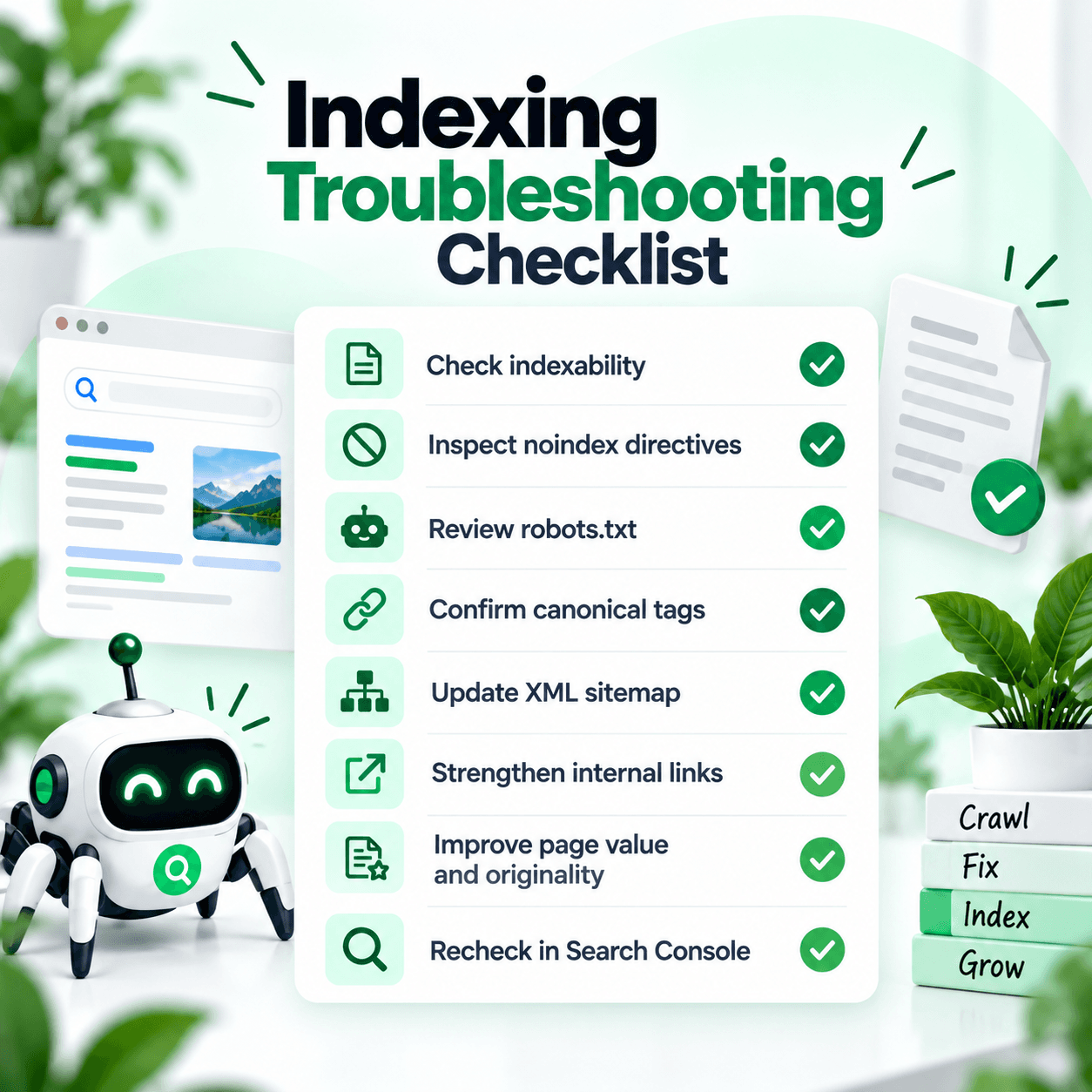
Crawling & Indexing Checklist
Frequently Asked Questions
What is search engine indexing?
Search engine indexing is the process in which a search engine processes a crawled page and may add information about that page to its searchable index. An indexed page can become eligible to appear in search results, but indexing does not guarantee rankings.
What is crawling?
Crawling is the process search engines use to request and explore URLs. Crawlers may discover URLs through internal links, external links, sitemaps, and previously known pages.
What is the difference between crawling and indexing?
Crawling means retrieving a page. Indexing means processing that page and potentially including it in the search engine's index. A page can be crawled without being indexed.
Why is my page crawled but not indexed?
Crawled - currently not indexed means Google crawled the URL but did not index it at that time. There is no single universal cause or guaranteed fix. Review content usefulness, duplication, canonicalization, directives, internal links, and the page's overall purpose.
What does discovered currently not indexed mean?
It means Google knows the URL exists but has not crawled it yet. Google notes that crawling may sometimes be rescheduled when it expects crawling to place excessive load on the site.
Does submitting a sitemap guarantee indexing?
No. A sitemap helps search engines discover preferred URLs, but inclusion in a sitemap does not guarantee indexing.
Does requesting indexing guarantee that Google will index my page?
No. Request Indexing can encourage Google to revisit a URL, but it does not guarantee that the URL will be included in the index.
Is robots.txt the same as noindex?
No. Robots.txt primarily controls crawling, while noindex is an indexing directive. They solve different problems.
Can Google choose a different canonical URL?
Yes. A canonical declaration expresses your preferred URL, but Google may select another canonical based on the signals it detects.
Does being indexed mean my page will rank?
No. Indexing makes a page eligible to participate in search results. Ranking depends on many additional factors.
How long does Google take to index a page?
There is no guaranteed indexing timeframe. New or updated pages may be processed quickly or may take longer, and some pages may never be indexed. Use Search Console to inspect important URLs rather than relying on a fixed number of hours or days.
Final Thoughts
Understanding search engine indexing becomes much easier once crawling, indexing, and ranking are treated as separate stages.
A page first needs to be discovered. It may then be crawled. After processing and evaluation, the search engine may choose to include it in the index.
Even then, indexing does not guarantee rankings.
When an important page is missing from search, avoid looking for one magical indexing trick.
Check crawl access, indexing directives, canonicalization, sitemap consistency, internal links, content quality, and Search Console status together.
If Search Console reports Crawled - currently not indexed or Discovered - currently not indexed, use those statuses as diagnostic information rather than assuming they each have one universal fix.
You can explore the RankCrow SEO Guides library or use the RankCrow Free SEO Analyzer to review supported indexability, canonical, robots, sitemap, link, HTTPS, and related page-level SEO signals.
Then use Google Search Console for Google's own crawl and indexing information.
Ready to Review Your Page?
Use RankCrow to review supported page-level technical SEO signals before moving into deeper Search Console troubleshooting.
Key Takeaways
- Crawling, indexing, and ranking are separate stages.
- A page can be crawled successfully without being indexed.
- Robots.txt controls crawling access and is not a replacement for noindex.
- Submitting a sitemap does not guarantee indexing.
- A canonical declaration communicates a preferred URL but is not an absolute rule.
- Crawled - currently not indexed and Discovered - currently not indexed do not have one universal guaranteed fix.
- RankCrow can review supported page-level indexability, robots, canonical, sitemap, link, HTTPS, and SEO signals, but it does not have live access to Google's index.